


Label design influences customers’ choice between your products and competitors’. Useful label design tools can help improve your work efficiency and craft standout labels. They also raise popularity for your business and brand. If you know little about label design tools and methods, this guide is for you.
Why Should You Choose the Right Label Design Tool?

Influence on Your Labels
Bad label design tools often create unprintable files. Common issues include resolution below 300 DPI and missing a bleed area or safe zone. Some simple tools cannot make vector files or export print-ready PDF. They may also fail to create accurate barcodes and QR codes. This will cause unreadable barcodes, blurry prints and color differences.
Good label design software helps you customize size, color, font and shape freely. It also helps you make labels practical and professional, and avoid non-standard label artwork in the early stage.
Influence on Your Business and Brand
Labels are the first thing which consumers notice. Standout labels will build a strong first impression on your brand from consumers.
Online product label design tools can speed up your design, production and workflow with pre-designed templates and some internal functions.
Hiring a designer for every project costs a lot. So a professional product label tool can help you custom label design by yourself and reduce labor cost.
You can unify your brand visual identity by the label design tools if you are a new brand or in expansion. This can help you ensure the consistency of the packaging style for all your products and deepen consumers’ impression of your brand.
Recommended Top 5 Label Design Tools

Adobe Creative Suite
- Key Features
Adobe Creative Suite includes Photoshop for photo editing, Illustrator for vector creation, and InDesign for page layout. This label maker software supports CMYK color mode and can export print-ready PDF and vector files. It also provides multi-format file upload and high-resolution export.
- Strengths
- Adobe Creative Suite can help you create complex and high-end custom label designs.
- The exported files can work well with professional printers and special printing process requirements.
- This professional label design software has flexible layout, a lot of font options and precise editing.
- Weaknesses
- Adobe Creative Suite is expensive.
- This software is difficult to learn and not friendly to you in the early stages.
- Applications
- It is suitable for you who own professional design teams and need custom packaging and special printing processes.
- If you are a business with strict standards for brand visuals and printing accuracy, you can choose Adobe Creative Suite.

Avery Design & Print
- Key Features
Avery Design & Print can run online with no software required. This product label design tool provides over 3000 editable label templates. It supports logo and artwork uploads, custom die cutting and variable data printing. This platform also provides barcode generators and nutrition label tools.
- Strengths
- This online label tool is free to use and fully web-based.
- This platform has drag-and-drop design tools for users with no experience.
- The software offers stable printing compatibility and standard layouts to avoid printing errors.
- You can edit SKU labels in bulk for fast standard production.
- It also includes practical tools such as spellcheck and barcode generator.
- Weaknesses
- Avery Design & Print is produced for Avery materials and products with limited compatibility.
- You have to register an account to unlock full access.
- Applications
- This platform is suitable for you beginners and small businesses without design teams.
- This tool suits the companies which want to produce standard product labels, warehouse SKU labels and compliant food labels.
- If you want to control design and printing workflows, you can choose Avery Design & Print.

Canva
- Key Features
- Canva has a drag-and-drop interface for printable label design.
- This label maker software provides thousands of templates, icons, fonts, shapes and charts.
- You can custom size, photo editing and layout design.
- Canva supports saving PDF files and tablet operation. It also provides printing service.
- Strengths
- The free version of Canva provides you with rich fonts, templates, photo editing, layout design and graphic resources.
- It can help you maintain brand visual consistency easily.
- Canva has fast design output with attractive visual effects.
- This label design tool can help simplify label layout for you.
- Weaknesses
- Canva defaults to RGB color mode.
- This online graphic design tool does not support barcode generation or other functions for professional label design. It lacks professional printing optimization.
- Some high-quality templates inside require payment.
- Applications
- Canva is suitable for startups, small businesses and independent brands.
- If you prioritize packaging appearance with simple artwork and basic printing requirements, you can choose Canva.

Maestro Label Designer
- Key Features
Maestro Label Designer is an exclusive professional label design tool for Online Labels. This platform integrates text tools, shapes, barcodes and nutrition label templates, along with hundreds of blank and pre-designed templates.
- Strengths
- Maestro Label Designer has a clean and simple interface.
- It can automatically add bleed areas and arrange full-sheet layouts.
- This tool matches Online Labels material sizes well.
- It also provides professional nutrition panel tools and barcode generators.
- There is a built-in alignment tool to improve printing accuracy.
- You can access and edit your designs anytime through browsers.
- Weaknesses
- There are limited built-in shapes and fonts.
- This custom label design tool lacks full custom design functions and multi-format file uploads.
- You have to purchase Online Labels products to unlock the complete functions.
- Applications
- Maestro Label Designer is suitable for companies which choose Online Labels printing services.
- If you want to produce food and beverage labels and compliant nutrition labels, you can choose Online Labels and Maestro Label Designer.
Microsoft Word
- Key Features
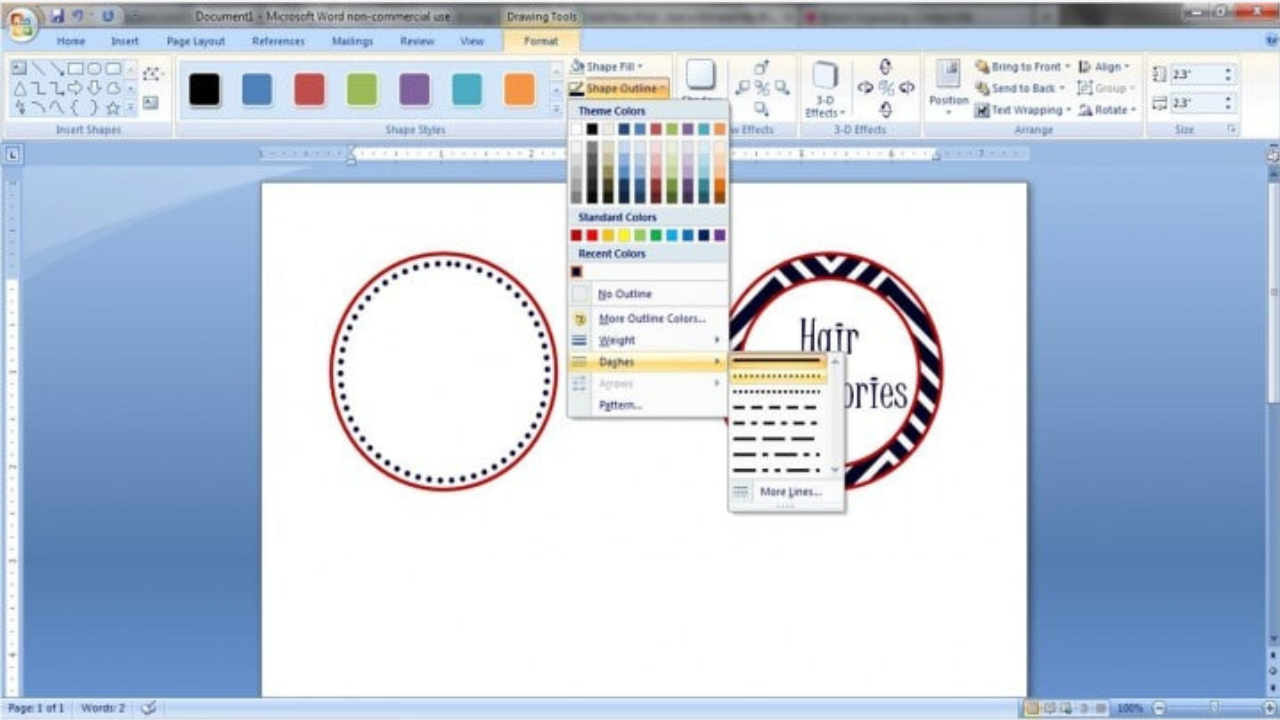
Microsoft Word is basic word-processing software. It provides built-in clipart, shapes and common templates. This software supports image upload and multi-page design. It can export files as PDF, so you can print the label artwork.
- Strengths
- Microsoft Word comes pre-installed on most of your computers.
- You can master this program with a low learning cost.
- Microsoft 365 subscribers can use it with no extra charge.
- This program supports quick edits and simple label layouts.
- Weaknesses
- There is no professional color management and print settings.
- Microsoft Word lacks standard commercial label templates.
- Batch layout is prone to errors and very troublesome.
- The design styles are plain, which make it unsuitable for high-end commercial packaging.
- Applications
- If you want to create temporary marks or simple labels in a short time, you can choose Microsoft Word.
There is no best but appropriate label design tool. You need to choose the right software based on your applications and budget.
How to Design Impressive Labels?
Keep It Clear, Complete and Compliant
Label content does not need excessive information, but it must be clear, complete and compliant. Missing required label information will cause rejection by retailers. It will also cause mass rework and extra cost.
For example, food and beverage labels require these complete and clear details:
- Product name.
- Ingredient list.
- Net weight or fluid ounce declaration.
- Allergen declarations.
- Nutrition Facts (if required).
- “Expires On” or “Best By” date.
- Manufacturer or distributor contact information.
Choose the Right Colors, Fonts and Images
- You can use CMYK color mode or Pantone spot colors for label design to reduce color difference. Match colors with your product and brand style through color psychology. For example, natural green and brown are suitable for organic food to show purity and health.
- Use high-resolution images to avoid blurry graphics.
- Choose simple and highly recognizable fonts to maintain the small text readability.
Use Modern Smart Technologies
You can use QR codes on labels for product traceability, recipe guides and your brand stories. NFC tags are suitable for high-end packaging, which can help support product authenticity verification and member management. They will help you strengthen consumer trust.
Test Before Mass Production
Conduct a test before mass label printing. Simulate storage, low temperatures, oil contact, and shipping. Small sample testing costs far less than full batch rework. This test will help you stabilize production schedules and control packaging costs.
FAQ
Is There Any Other Useful Label Design Tool?
Yes. There is another useful but less well-known label design tool — Labeley. It does not need registration. You can create your label design easily in a few steps. It supports designs for food, beverage, kids, holiday and custom labels. You only need to add some images, shapes, text and borders. Then you can download and print the labels.
Why Are Label Colors Different From the Designs?
Screens use RGB color mode. Printing uses CMYK color mode or Pantone spot colors. Dark tones and high-saturation colors may cause the most color difference. It is recommended for you to confirm samples with your label printers before mass production.
What Is the Safest File Format for Label Design?
Most professional printers prefer print-ready PDF, AI, EPS and vector SVG files. You should avoid screenshots and low-quality JPG files.
Why Do Label Designs Use Bleed Area and Safe Zones?
If there is no bleed area when trimming, white edges are likely to appear. Most label printing suppliers require a minimum 2-3mm bleed area.
The safe zone covers key contents, such as QR codes and brand information. Missing safe zones will cause loss of important details.
Why Do Barcode Labels Fail to Scan?
Small size, low resolution and poor color contrast may cause the issues. You can follow these tips:
- Submit files with no less than 300 DPI resolution.
- Choose high-contrast barcode label color combinations, such as black bars on the white background.
- Conduct a scanning test before production.
Final Thoughts
Useful label design tools help you speed up your design workflow, reduce rework risks and extra costs. Poor tools will bring trouble to your design work, and cause hidden risks later. If you have finished your label design and are looking for a reliable label printing supplier, please contact us.

